Page 1 of 1
Unable to find Gauss point of structural element in post processing
Posted: Sun Mar 19, 2023 3:37 pm
Dear stko team
I have established a model of an underground structure using Rectangular FiberSection and forcebeam column element, while soil is simulated using quadup element. The model can run successfully, but in the post processing Gaussian point plot, there is no Gaussian point in the structure, and I cannot obtain the stress and strain of the structure. Is there a problem with where my model was set? I will attach my model below
Re: Unable to find Gauss point of structural element in post processing
Posted: Sun Mar 19, 2023 3:40 pm
like this
The presence of Gaussian dots can be clearly seen in the soil element, but not in the structure
Re: Unable to find Gauss point of structural element in post processing
Posted: Mon Mar 20, 2023 9:05 am
by STKO Team
It's because you are using the ElasticBeamColumn element. Since it is an elastic element it's analytically integrated (does not have gauss points or fibers in gauss points).
You can ask for "localForce" results and you will be able to see a beam diagram plot.
Otherwise use a generic ForceBeamColumn, and build a Fiber section with uniaxial materials, and you will be able to check:
- section.force (or section.deformation) in the gauss plot (beam integrated forces/deformations)
- section.fiber.stress (or section.fiber.strain) in the fiber plot
Re: Unable to find Gauss point of structural element in post processing
Posted: Mon Mar 20, 2023 10:21 am
Dear stko team
I modified my model, used the forcebeamcolumn element, and established a fiber section. However, I still cannot see the Gaussian points of the structure during post processing. I attached my model below, and I don't know what went wrong
Re: Unable to find Gauss point of structural element in post processing
Posted: Tue Mar 21, 2023 8:50 am
by STKO Team
For a Gauss Plot you can see
section.RESULT (i.e. a RESULT located at the section-gauss-point):
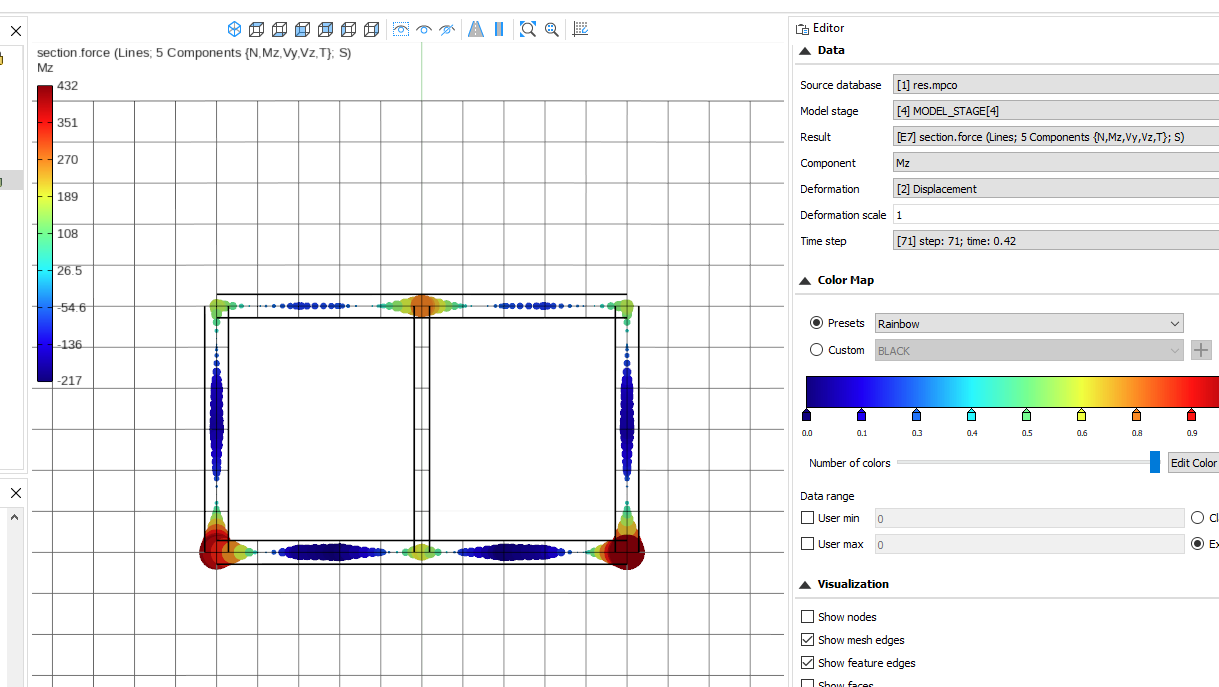
- BEAM_GAUSS.png (78.15 KiB) Viewed 5153 times
For a Fiber Plot you can see a result like
section.fiber.RESULT (i.e. a RESULT located at every fiber of section-gauss-points):
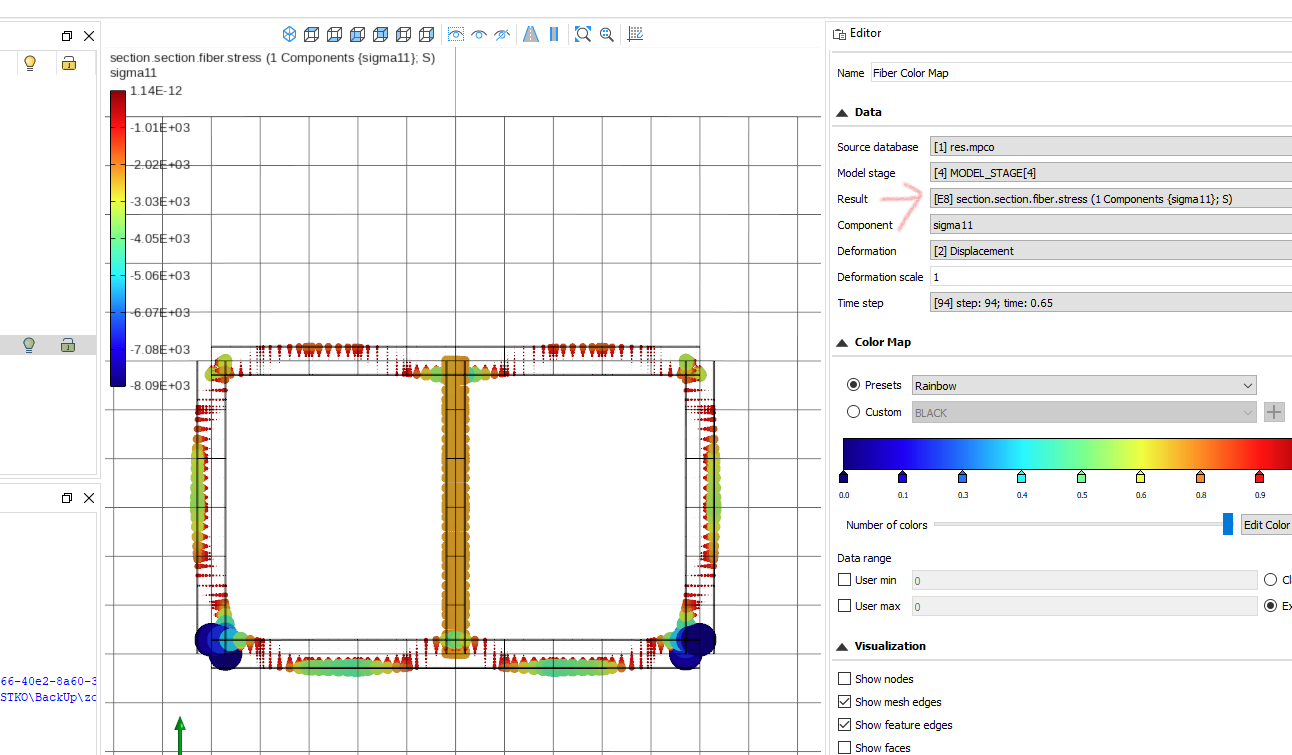
- BEAM_FIBER.png (120.21 KiB) Viewed 5153 times
Note: Due to a recent change in OpenSees, if you use a Section Aggregator with a Fiber Section inside, you need to specify twice the "section" keyword, like
section.section.fiber.RESULT
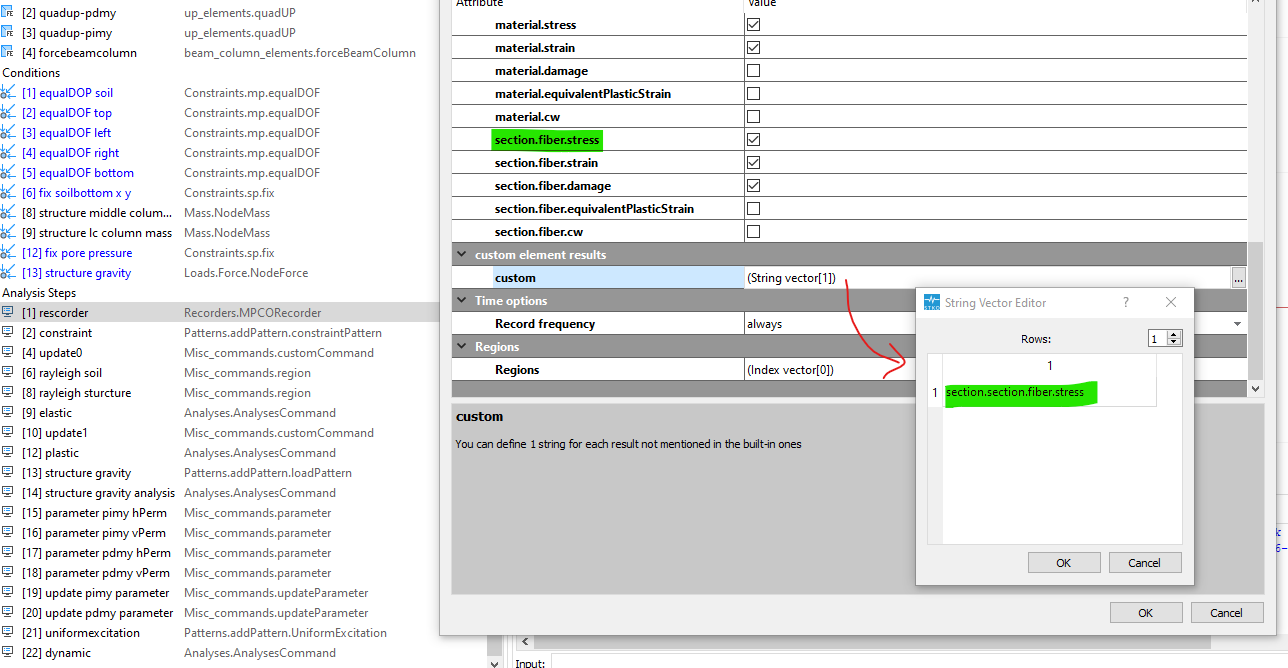
- BEAM_FIBER_CUSTOM.png (95.77 KiB) Viewed 5153 times
Here's a modified file:
- zou.zip
- (268.23 KiB) Downloaded 336 times