Page 1 of 1
'NoneType' Object
Posted: Fri Oct 30, 2020 6:45 pm
by Telec
Hi,
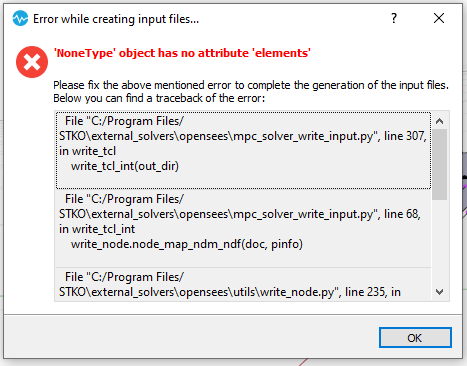
i cannot write the input files for this error. why? thx
- q.PNG (18.74 KiB) Viewed 4265 times
Re: 'NoneType' Object
Posted: Fri Oct 30, 2020 7:12 pm
by vokumus
I think you have object(s) that there is no element property assigned.
Re: 'NoneType' Object
Posted: Fri Oct 30, 2020 7:22 pm
by Telec
by objects do you mean geometric elements?
Re: 'NoneType' Object
Posted: Fri Oct 30, 2020 9:42 pm
by vokumus
Yes I mean objects. But interactions may need element property too. For example if you use a zero length interaction you have to assign a zero length element to it.
Re: 'NoneType' Object
Posted: Mon Nov 02, 2020 9:33 am
by STKO Team
Exactly as vokumus said, there is some Physical or Element property missing.
Make sure everything is properly assigned. If you cannot solve it, attach here your SCD file (zipped)
Re: 'NoneType' Object
Posted: Mon Nov 02, 2020 5:05 pm
by Telec
OK thanks. I solved. In the model I had a plate divided into two parts. Each part corresponded to a different section (layered shell). Probably I had assigned the two sections to the two different faces. In this way the central edge was left unassigned.
I solved it by assigning a section to the entire plate and then later I only changed a faces.