Page 1 of 2
Boolean operations
Posted: Mon Feb 26, 2024 2:18 am
by Lei Lei
Dear STKO,
Can I use Boolean operations on volumes and surfaces in STKO?
For example, use a face to cut an object into two parts, or a line to cut a face into two parts.
Thanks for your reply!
Re: Boolean operations
Posted: Mon Feb 26, 2024 9:26 am
by STKO Team
Sure, use the Merge command
Re: Boolean operations
Posted: Tue Feb 27, 2024 1:41 am
by Lei Lei
Hi,
If I use 'Merge', only the separate ones are turned multiple into one.
I want to find a method to cut a 3D geometry into two parts by a plane.
I tried 'Subtract', which only saves the parts of the two geometers that do not overlap. It isn't what I want.
Looking forward to your reply!
Re: Boolean operations
Posted: Tue Feb 27, 2024 9:10 am
by STKO Team
The "Merge" is the foundation of every boolean operation.
In your case you can:
Re: Boolean operations
Posted: Tue Feb 27, 2024 12:10 pm
by Lei Lei
Thanks!
It does make sense!
By the way, after merging and exploding, is there any way to combine multiple geometers into one without retaining contact surfaces?
And, I found that after merging, it is impossible to copy, move, and so on the substructure. It seems that the components still belong to 'merge' without independence.
Re: Boolean operations
Posted: Thu Feb 29, 2024 9:56 am
by STKO Team
It's not clear to me.
Can you share your model and a sketch to explain what you are trying to obtain?
Re: Boolean operations
Posted: Fri Mar 01, 2024 9:03 am
by Lei Lei
Certainly!
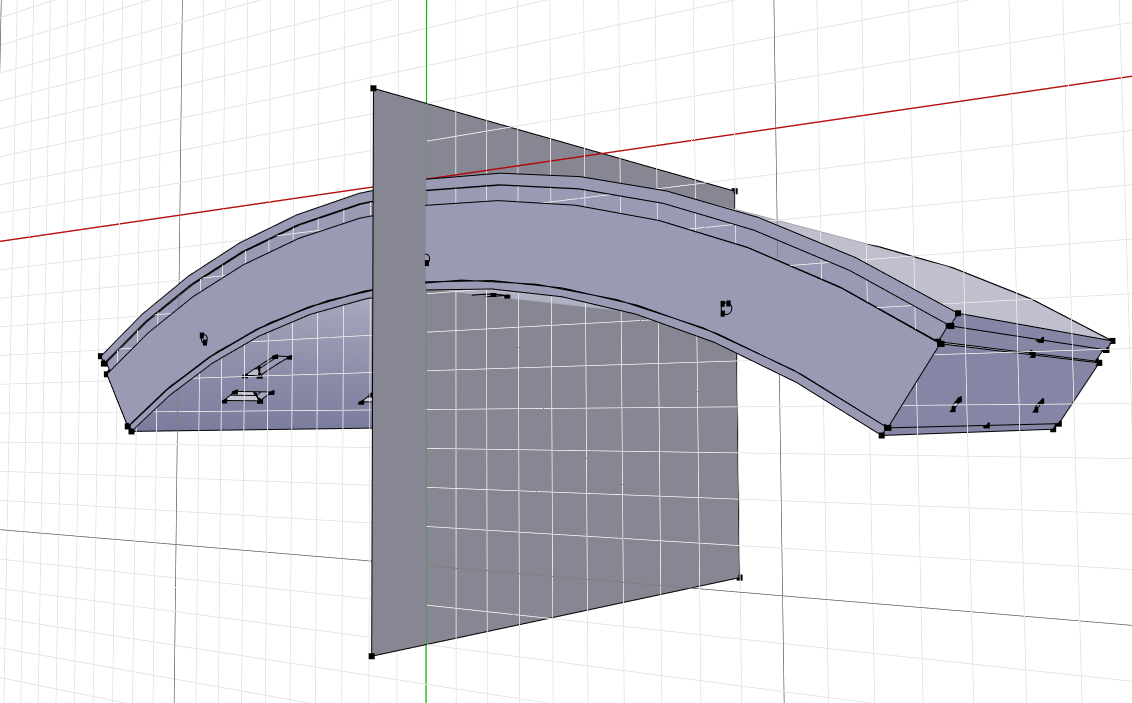
I've imported a 3D segment model and utilized a plane to execute a cut using operations like 'Merge' and 'Explode', similar to what's depicted in Figure 1.
- Figure 1
- 13be196168819f788bb4dfb1ebc1fe4.png (161.72 KiB) Viewed 2836 times
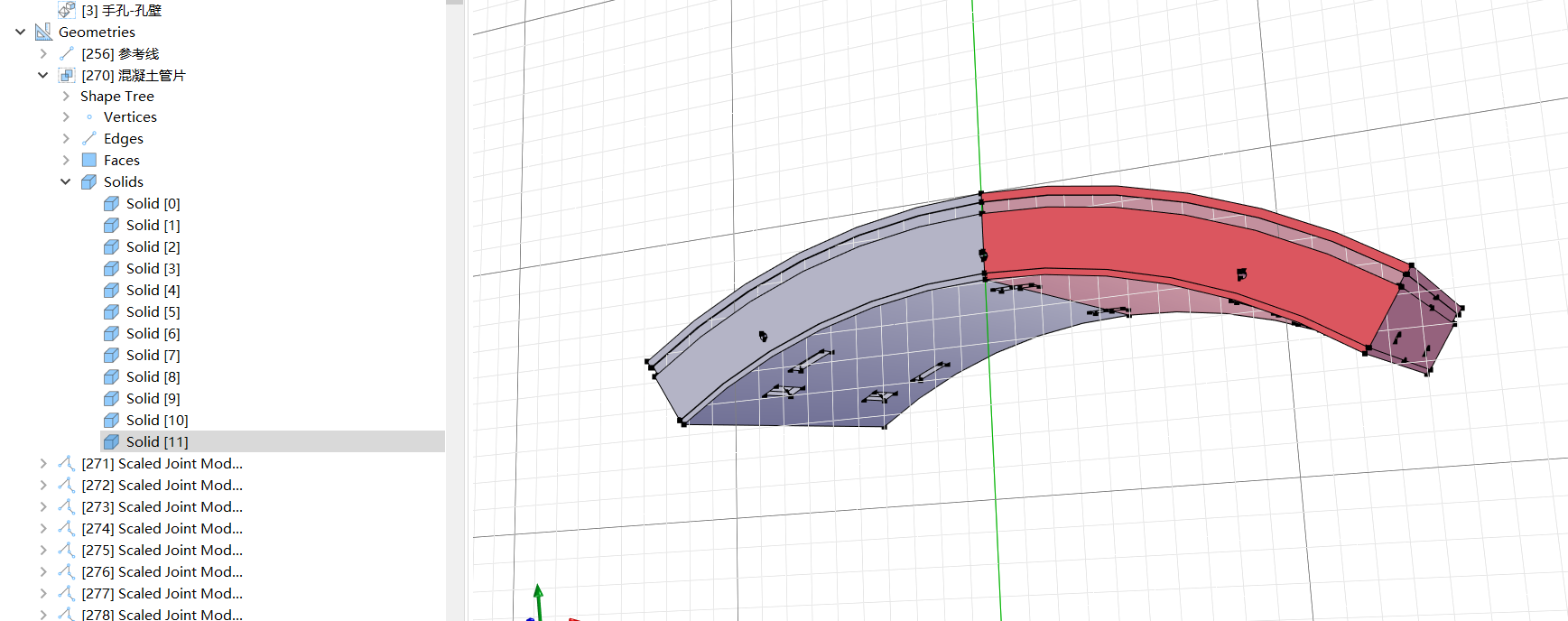
Now, my objective is to modify the right segment independently. However, despite the explosion, each part remains grouped within the 'Merge' operation, hindering individual manipulation as seen in Figure 2.
- figure 2
- 6e3b8bbde45ae62c6846d4dc5e2de3a.png (241.24 KiB) Viewed 2836 times
Re: Boolean operations
Posted: Wed Mar 06, 2024 9:06 am
by STKO Team
Repeat the explode command on that geometry. The explode command may be used multiple times in nested loops
Re: Boolean operations
Posted: Wed Mar 06, 2024 11:32 am
by Lei Lei
Thanks for your reply!
Lei Lei wrote: ↑Tue Feb 27, 2024 12:10 pm
By the way, after merging and exploding, is there any way to combine multiple geometers into one without retaining contact surfaces?
I still have this question.
For example, I hope to union the A and B without a public surface.
However, whether I use 'union' or 'merge', there is still a public surface.
Is there any way to solve it?
Thanks!
Re: Boolean operations
Posted: Wed Mar 06, 2024 3:21 pm
by kesavapraba
Hi, You can handle the individual geometry after the explode command executed multiple times. So, the extra surfaces can be deleted.
Just a suggestion for the first issue that you pointed out, why don't you make two copies (say 1 and 2) of the solid+plane geometry in the same workspace and do the merge for both and then use subselection for geometry to delete the right part after the plane for 1 copy and delete the left part before the plane for 2 copy. Doing so, you will have two separate geometries, you can bring them together at a common vertex.